 SimplyShot
Add a background to any screenshot.
Pick a gradient, color or image, set the padding, corners and shadow, and download. It all happens in your browser.
Drop a screenshot
or paste it from your clipboard
Drop, paste or another image to replace it · Your image never leaves this page
Background
Screenshot
Canvas
Presets
How to add a background to a screenshot
- Open your screenshot. Drop it on the page, paste it, or choose a file.
- Pick a background. A gradient, an abstract pattern, a solid color, your own image, or a blurred copy of the screenshot.
- Tune it and save. Set the padding, rounded corners and shadow, pick a size, then download a PNG, JPEG or WebP, or copy it.
Do it on every screenshot with SimplyShot
This page does one image at a time. SimplyShot, a screenshot app for Mac, has the same backgrounds and more in its Backdrop.
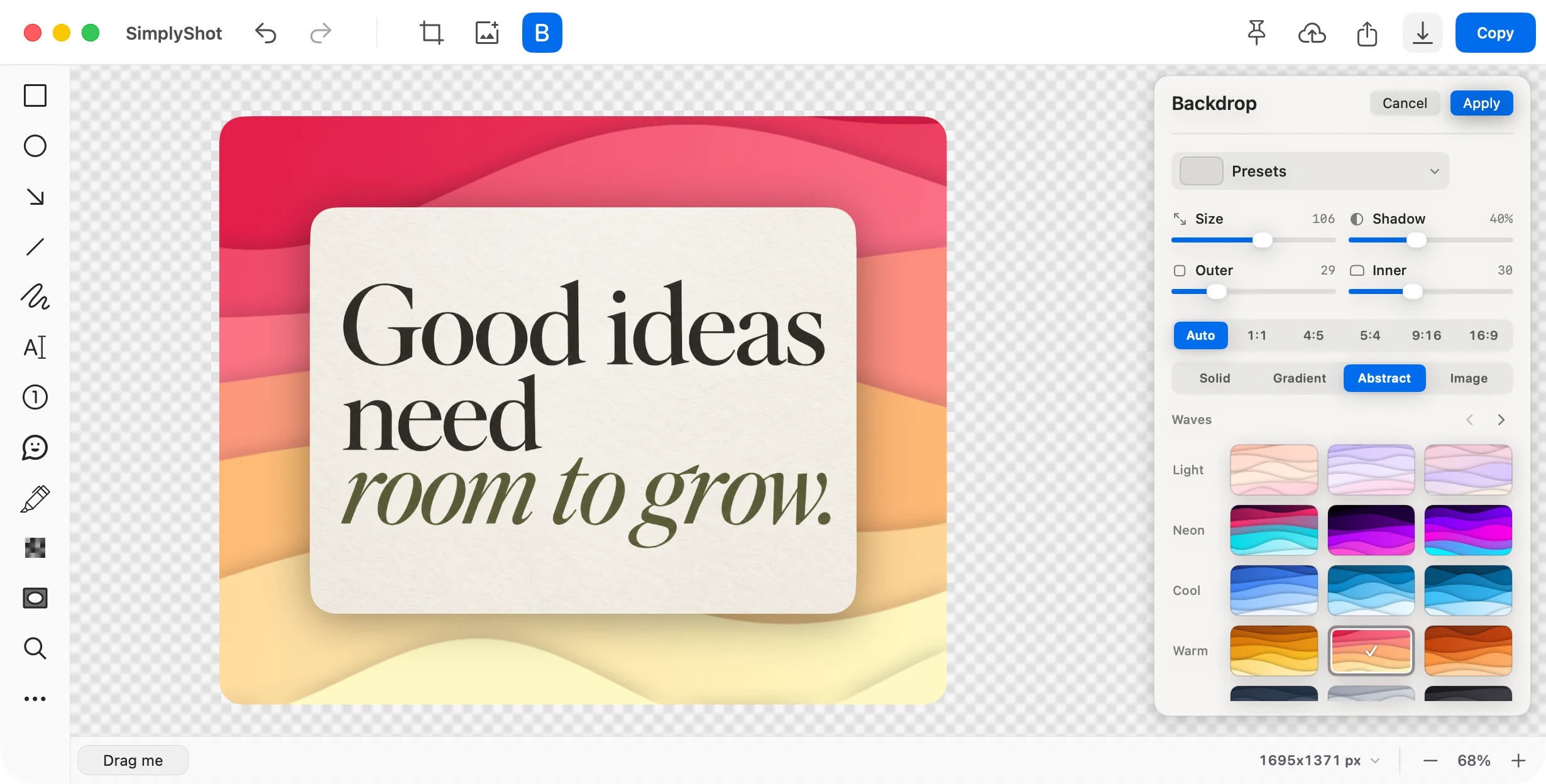
Added as you capture
In Settings, pick a Backdrop preset for window or area screenshots. Every new one gets it, with nothing to open.
Your wallpaper as the background
Put a screenshot on your desktop wallpaper, or on the same gradients, colors and abstract backgrounds as here.
Mark it up in the same place
Add arrows, text and highlights, and hide emails or keys with Redact before you share.
Change it later
Save a screenshot project and its background and markup stay editable.
Share it your way
Copy it, save it, or upload it to your own S3-compatible storage and copy a link.
$29, one payment
No subscription. Try it free first; no key is needed to start.
Questions
Can SimplyShot add a background to every screenshot?
Yes. In Settings, under Automatic Backdrops, pick a Backdrop preset for window screenshots, area screenshots, or both. Each new one gets it as you take it.
Which backgrounds and sizes does it have?
Gradients, including mesh and radial ones, solid colors, abstract backgrounds, an image, or your desktop wallpaper. Set the padding, corners and shadow, and pick Auto, 1:1, 4:5, 5:4, 9:16 or 16:9.
Is SimplyShot a subscription?
No. SimplyShot is $29, one payment. Try it free first; no key is needed to start.
Which Macs does it run on?
macOS 14.6 Sonoma or later, on Apple silicon and Intel.
Where do my uploads go?
To your own storage: AWS S3, Cloudflare R2, Backblaze B2, DigitalOcean Spaces, or any S3-compatible service. SimplyShot has no cloud of its own.
Skip this step on your Mac.
Screenshots, recordings, markup and backgrounds in one Mac app. Try it free first.