 SimplyShot
The Shottr alternative that also records your screen.
The screenshot tools you know from Shottr, plus screen recording, a video editor, sensitive info detection and scrolling in any direction.
Download for MacWhat you get on top of Shottr.
All built in. No second app, no subscription.
Record your screen, then make it look good
Record an area, a window or the whole screen as a video or a GIF, with your camera, your microphone and your Mac's sound. Then open it in Studio: zooms land where you clicked, captions are made on your Mac, and you cut the video by deleting words from its transcript.
More on recording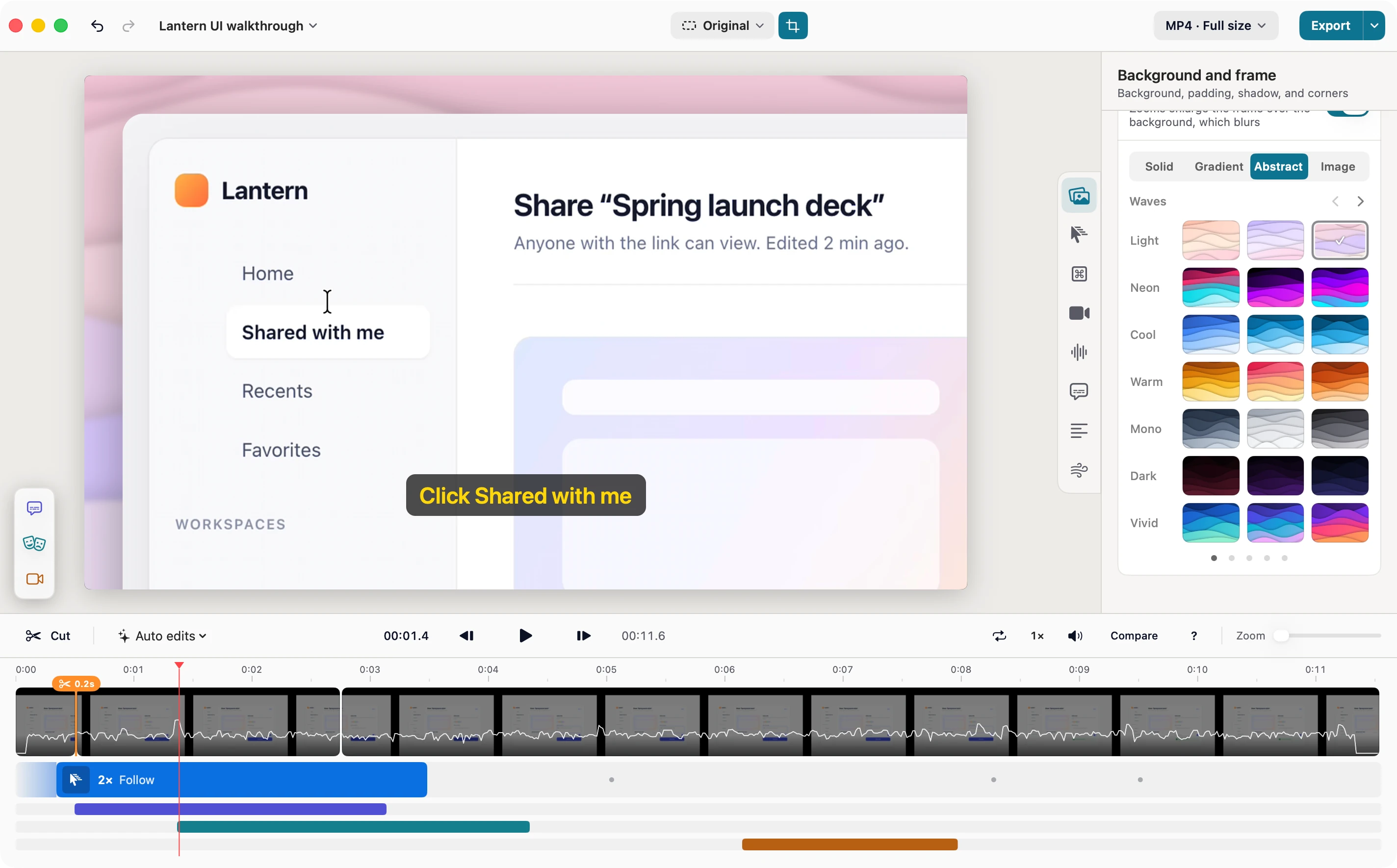
Private info, found before you share
Turn on detection and SimplyShot finds credentials, card numbers, emails, phone numbers, addresses, faces and barcodes in your screenshots. Nothing is hidden for you: review what it found and apply it in the Redact panel. It all runs on your Mac.
More on Sensitive info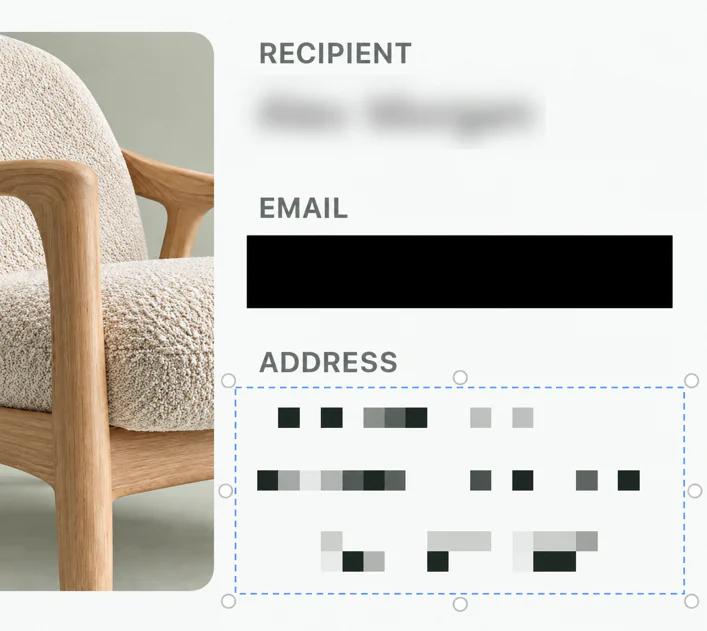
Scrolling capture in any direction
Scroll at your own pace, or let SimplyShot scroll for you: down, up, left or right. Long chats and wide timelines both come out as one image.
Pixel-precise as you select
Turn on the magnifier and guide lines to line up every edge while you drag, with a live readout of where you are. No full-screen capture to crop afterwards. Need an exact size? Type the width and height before you capture.
SimplyShot and Shottr, side by side.
What each app offers today.
| Feature | Shottr | SimplyShot |
|---|---|---|
| Area, window and screen capture | Yes | Yes |
| One bar for every capture mode | No | All-in-One Capture Bar |
| Scrolling capture | Up and down | Down, up, left and right |
| Manual scrolling | Off until turned on with a link | Yes |
| Live preview while you scroll | No | Yes |
| Help lining up a selection | Zoom in after a full-screen capture | Magnifier and guide lines as you drag |
| Adjust the area before it's captured | Crop after capture | Yes |
| Freeze the screen while you select | Capture the full screen, then crop | Freeze frame |
| Screen recording, as video or GIF | No | Yes |
| Camera, microphone and Mac sound | No | Yes |
| Video editor with zooms, captions and transcript cuts | No | Studio |
| Finds sensitive info for you | No | On your Mac, you review |
| Blur, pixelate and erase by hand | Yes | Yes |
| Copy text from images | Yes | Yes |
| Annotations and backdrops | Yes | Yes |
| Sticky notes and emoji reactions | No | Yes |
| Saved presets for annotations and backdrops | No | Yes |
| Save a screenshot as a project to keep editing later | No | Yes |
| Ruler and color picker | Yes | Yes |
| Recent captures stacked on screen to copy, save or drag | No | Quick Access |
| Pin to the screen | Yes | Yes |
| Upload to your own S3-compatible storage | Yes | Yes |
| Capture History with search | No | Yes |
| Price | Free, or $12 one-time | $29, one payment |
Shottr features as listed on shottr.cc in October 2026.
Shottr or SimplyShot?
Shottr is enough if…
- You only take screenshots and never record your screen.
- You want something free, or close to it.
- Your Mac runs a version of macOS older than 14.6 Sonoma.
Why people switch to SimplyShot
- Screenshots and screen recording in one app, with Studio to make videos look good.
- Private info found before you share, all on your Mac, and you review it.
- Scrolling capture in any direction, by hand or automatic, with a live preview.
- Your captures close at hand: Quick Access right away, searchable History later.
Switching from Shottr.
The short answers.
Is SimplyShot a subscription?
No. SimplyShot is $29, one payment. Try it free first; no key is needed to start.
Can I upload to my own storage, like in Shottr?
Yes. Connect AWS S3, Cloudflare R2, Backblaze B2, DigitalOcean Spaces or any S3-compatible endpoint, and copy a public link or one that expires. There is no SimplyShot account and no SimplyShot cloud.
Does it have OCR, a ruler and a color picker?
Yes. Copy Text reads the text in any area on your Mac, the ruler finds edges and measures the gap, and the color picker copies any pixel as HEX, RGB, HSL, SwiftUI or OKLCH.
Which Macs does it run on?
macOS 14.6 Sonoma or later, on Apple silicon and Intel.
Ready for your next shot?
Download for MacmacOS 14.6+ No key needed to start.