 SimplyShot
For when the Mac's screenshot tool isn't enough.
Everything you use the built-in Screenshot tool for, plus scrolling capture, redaction, backgrounds and screen recordings worth sharing.
Download for MacWhat the built-in tool leaves out.
All in one app, and it all runs on your Mac.
The whole page in one image
Scroll at your own pace, or let SimplyShot scroll for you: down, up, left or right. Long chats, full web pages and wide tables come out as one image instead of five.
Hide private info before you share
Blur, pixelate, erase or cover any part of a screenshot. Or turn on detection and SimplyShot finds credentials, card numbers, emails, phone numbers, addresses, faces and barcodes for you to review.
More on Sensitive info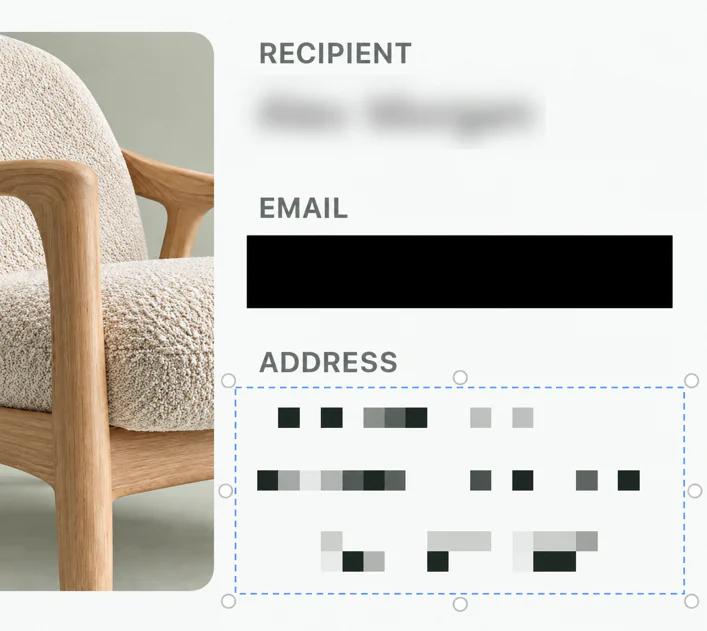
Explain it, then make it look good
Arrows, shapes, text, step numbers, a highlighter and a spotlight, each a key away. Put the result on a gradient or your wallpaper, with padding and a shadow.
More on screenshots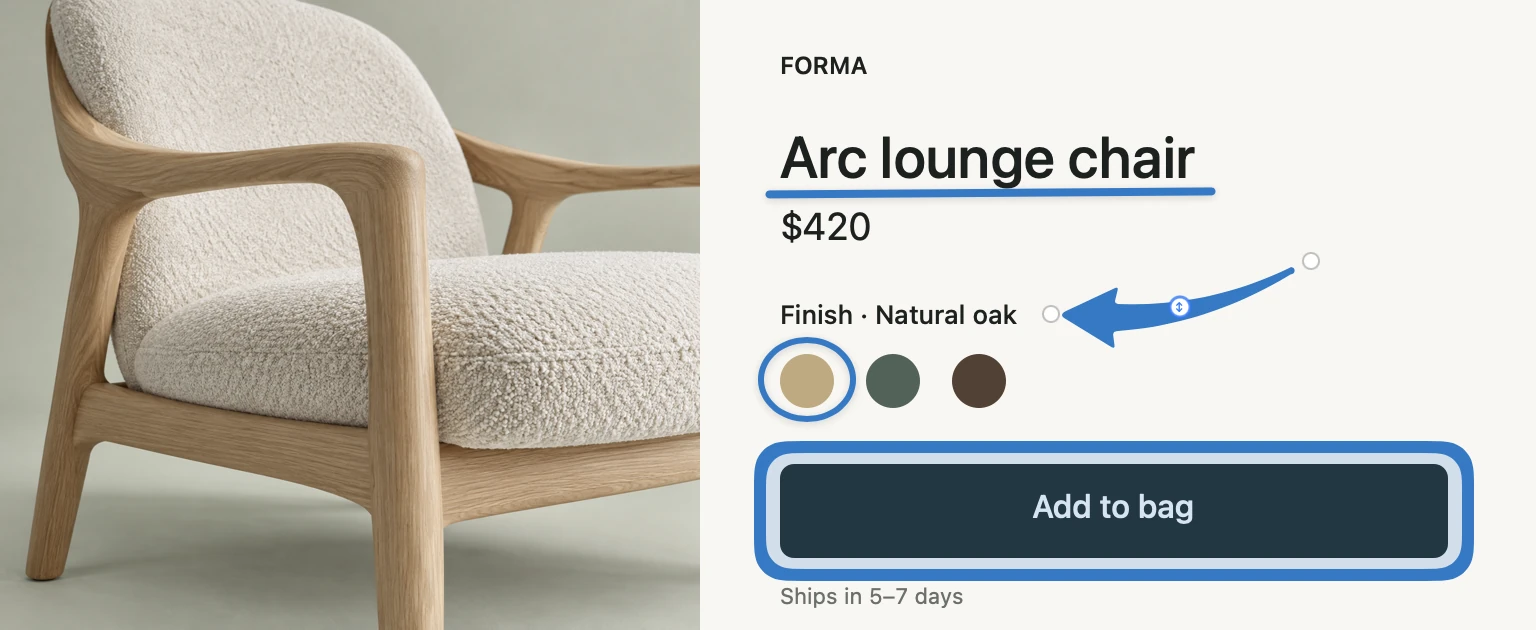
Recordings worth sharing
Record with your camera, microphone and your Mac's sound, as a video or a GIF. Studio zooms in where you clicked, writes captions on your Mac and lets you cut the video by deleting words.
More on recording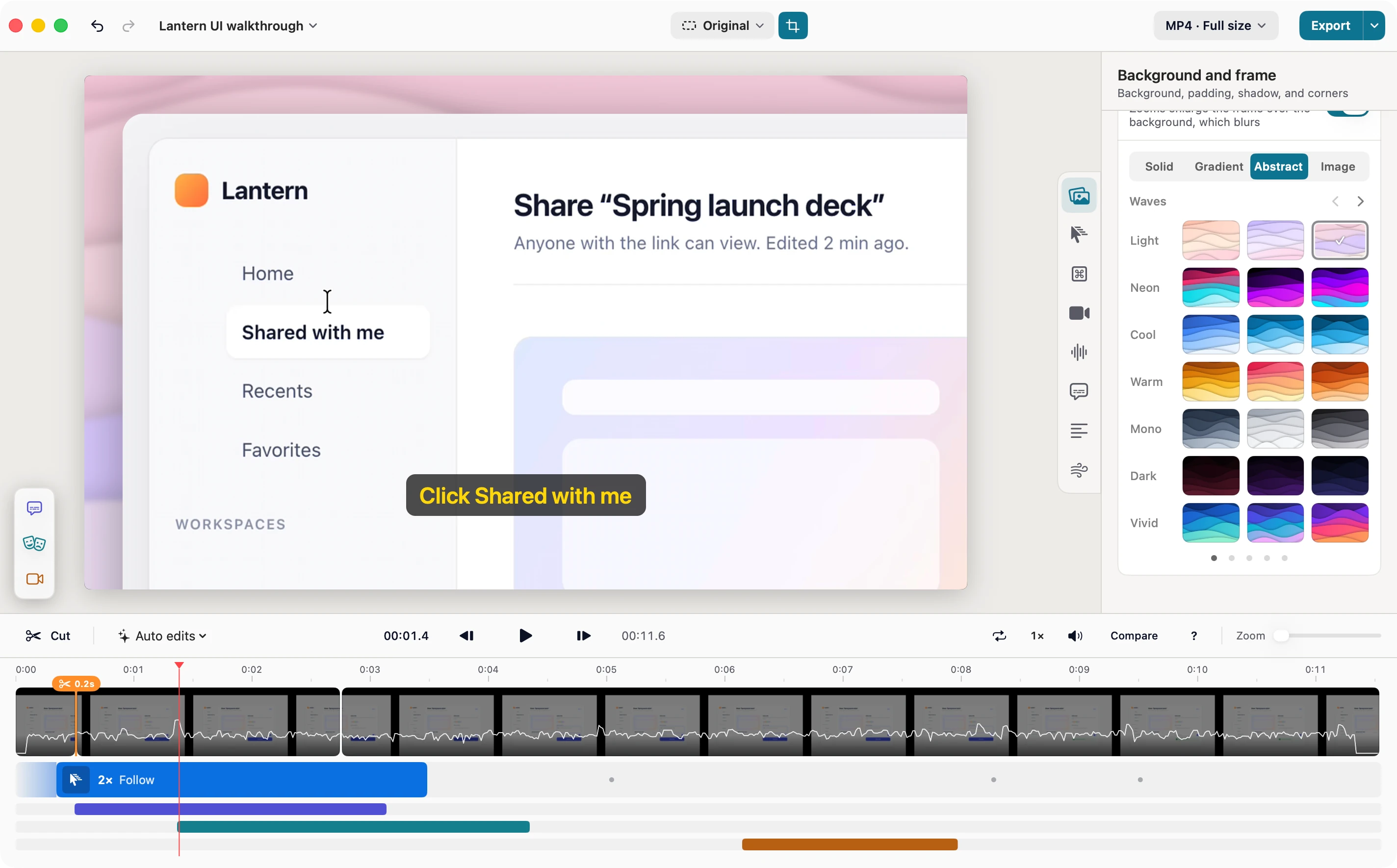
SimplyShot and the macOS Screenshot tool, side by side.
What each one does today.
| Feature | macOS Screenshot | SimplyShot |
|---|---|---|
| Area, window and screen capture | Yes | Yes |
| One bar for every capture mode | Yes | Yes |
| Timer and adjusting the area before capture | Yes | Yes |
| Magnifier while you select | No | Yes |
| Scrolling capture | No | Down, up, left and right |
| Shapes and text | Markup | Yes |
| Blur, pixelate or redact part of a screenshot | No | Yes |
| Finds sensitive info for you | No | On your Mac, you review |
| Copy text from images | Live Text in Preview, Photos and Safari | Any area, as you capture |
| Backgrounds behind screenshots | No | Yes |
| Step numbers, spotlight and sticky notes | No | Yes |
| After a capture | One thumbnail | A stack of recent captures |
| Pin to the screen | No | Yes |
| Capture History with search | No | Yes |
| Screen recording | Video | Video or GIF |
| Microphone | Yes | Yes |
| Your camera in the recording | No | Yes |
| Show clicks and keystrokes | Clicks | Yes |
| Edit the recording | Trim and split in QuickTime | Studio: zooms, captions, transcript cuts |
| Share | Share menu and AirDrop | Also a link from your own storage |
| Price | Included with macOS | $29, one payment |
macOS features as described in Apple's Mac User Guide for macOS Tahoe 26 in October 2026.
The built-in tool or SimplyShot?
The built-in tool is enough if…
- You take a quick screenshot now and then.
- A few shapes and some text are all the markup you need.
- You'd rather not install anything.
Why people switch to SimplyShot
- Whole pages in one image, in any direction.
- Private info hidden before you share, by hand or found for you.
- Recordings worth sharing, with zooms, captions and your camera.
- Your captures close at hand: Quick Access right away, searchable History later.
Moving up from the built-in tool.
The short answers.
Can SimplyShot use the Mac's screenshot keys?
Yes. Turn the macOS screenshot shortcuts off in System Settings, and SimplyShot's setup walks you through using those keys instead.
Do I need an account?
No. Capturing, editing, text recognition and sensitive info detection all run on your Mac. Uploads are optional and go to your own storage.
Is SimplyShot a subscription?
No. SimplyShot is $29, one payment. Try it free first; no key is needed to start.
Which Macs does it run on?
macOS 14.6 Sonoma or later, on Apple silicon and Intel.
Ready for your next shot?
Download for MacmacOS 14.6+ No key needed to start.